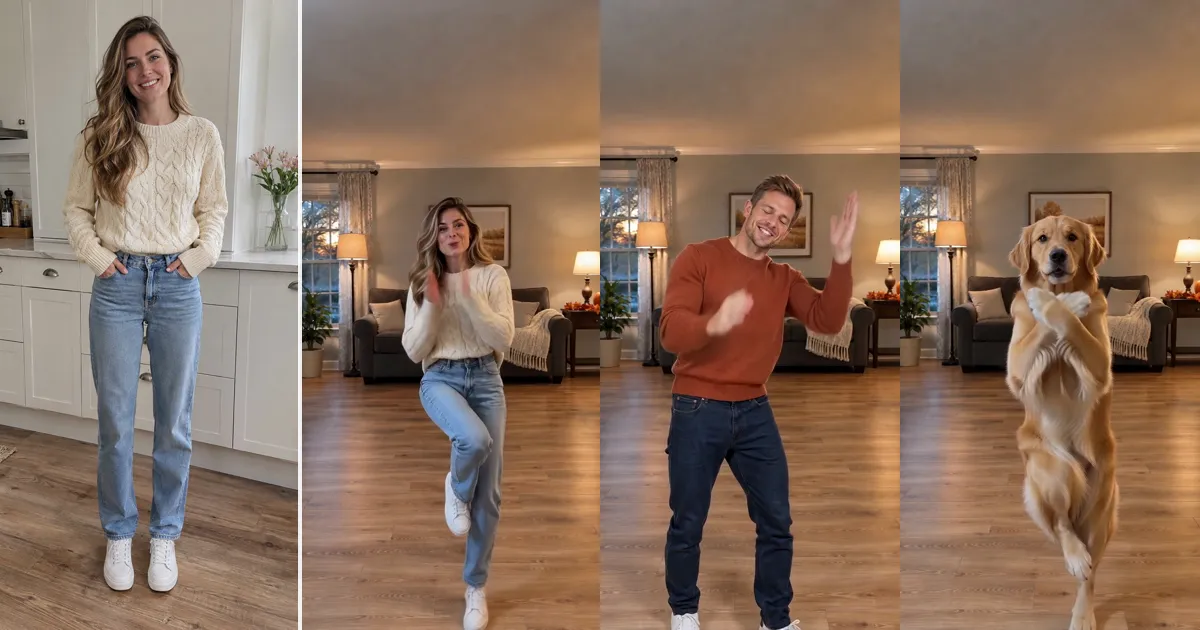
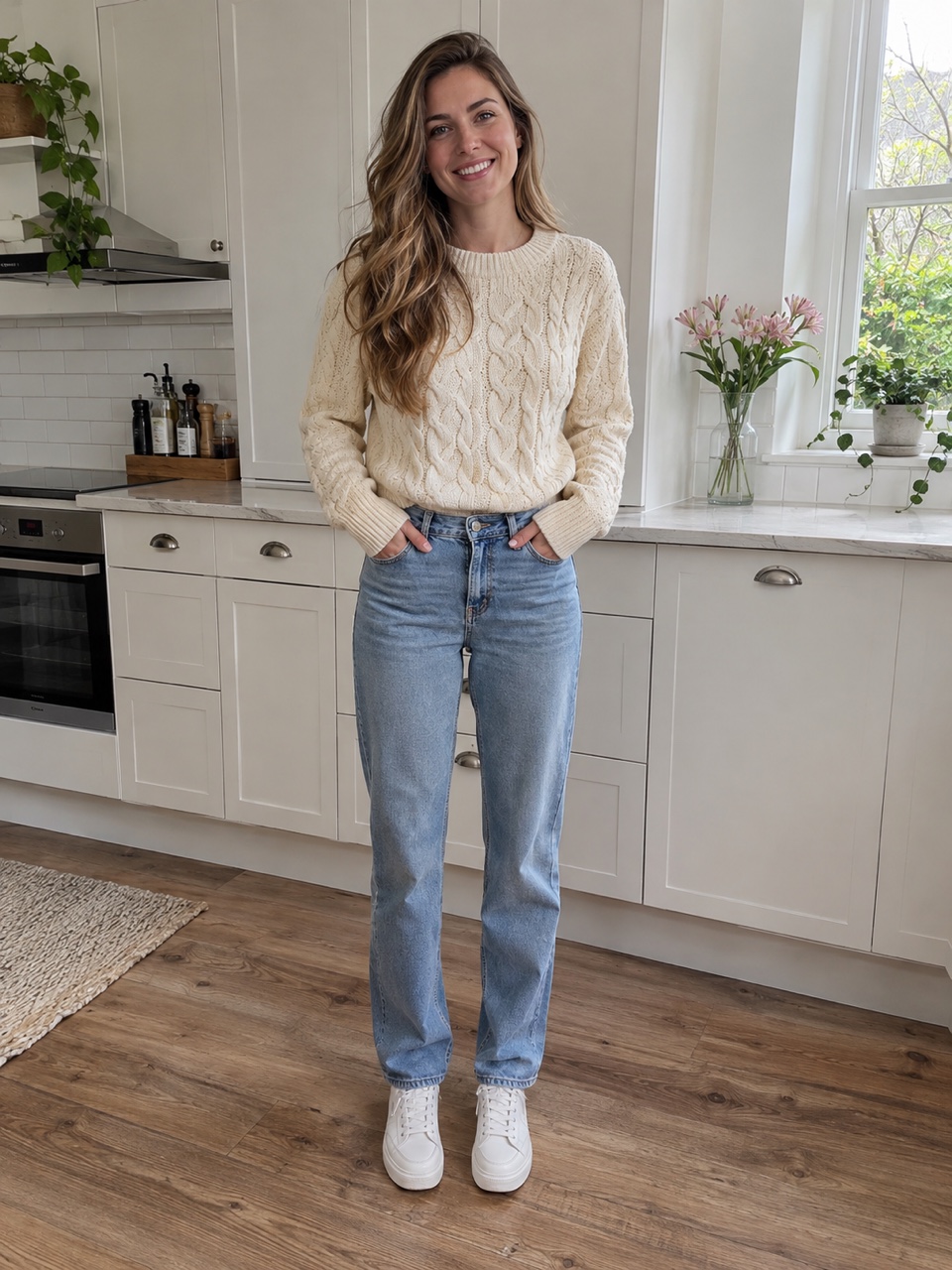

To do the Thanksgiving dance AI trend, upload one full-body photo of yourself or your pet on the Thanksgiving Dance AI page at raindance-ai.org, pick who dances, keep Trend sound on and press Make. Within five to ten minutes you can download a 13-second, 9:16, 720p MP4: the dancer from your photo does the arm crosses, the bend and the hands-on-hips finish in a warm living room with a pumpkin by the lamp, with the remix of the old food-list chant on the file and no watermark. People keep their own clothes; pets keep their own paws. One video is $9.99, and there is no free version.
Who should star in it
The routine is the same for everyone, so the fun is in the casting. The trend's posts that get shared most put someone unexpected in the dancer's spot.
| Who | Pick | Why it works |
|---|---|---|
| You | You dance it | The classic version: your own outfit, your own face, the dance you never learned |
| Your partner, sister or best friend | You dance it, with their photo | A surprise for the group chat the night before dinner |
| Grandma or grandpa | You dance it, with their photo (they should be fine with it) | The most forwarded kind of Thanksgiving clip there is |
| The dog or the cat | Your pet dances it | On its hind legs, front paws doing the arm moves |
Only adults and pets. No photos of children, celebrities or anyone who did not agree to be in it.
The photo decides the result
The AI copies the person or animal it sees, so a minute spent choosing the photo saves a second render.
- Head to toe beats waist up. The camera shows the whole body for all 13 seconds. Cut at the waist and the AI invents trousers and shoes.
- Face forward, eyes visible. No sunglasses, no heavy beauty filter, no hat brim shading the eyes.
- Dress for the room. Whatever the photo shows is what dances. A sweater in rust, cream or brown blends with the fall decor; a summer tank top looks funny in a different way.
- One subject. Crop a group photo down to a single person before you upload.
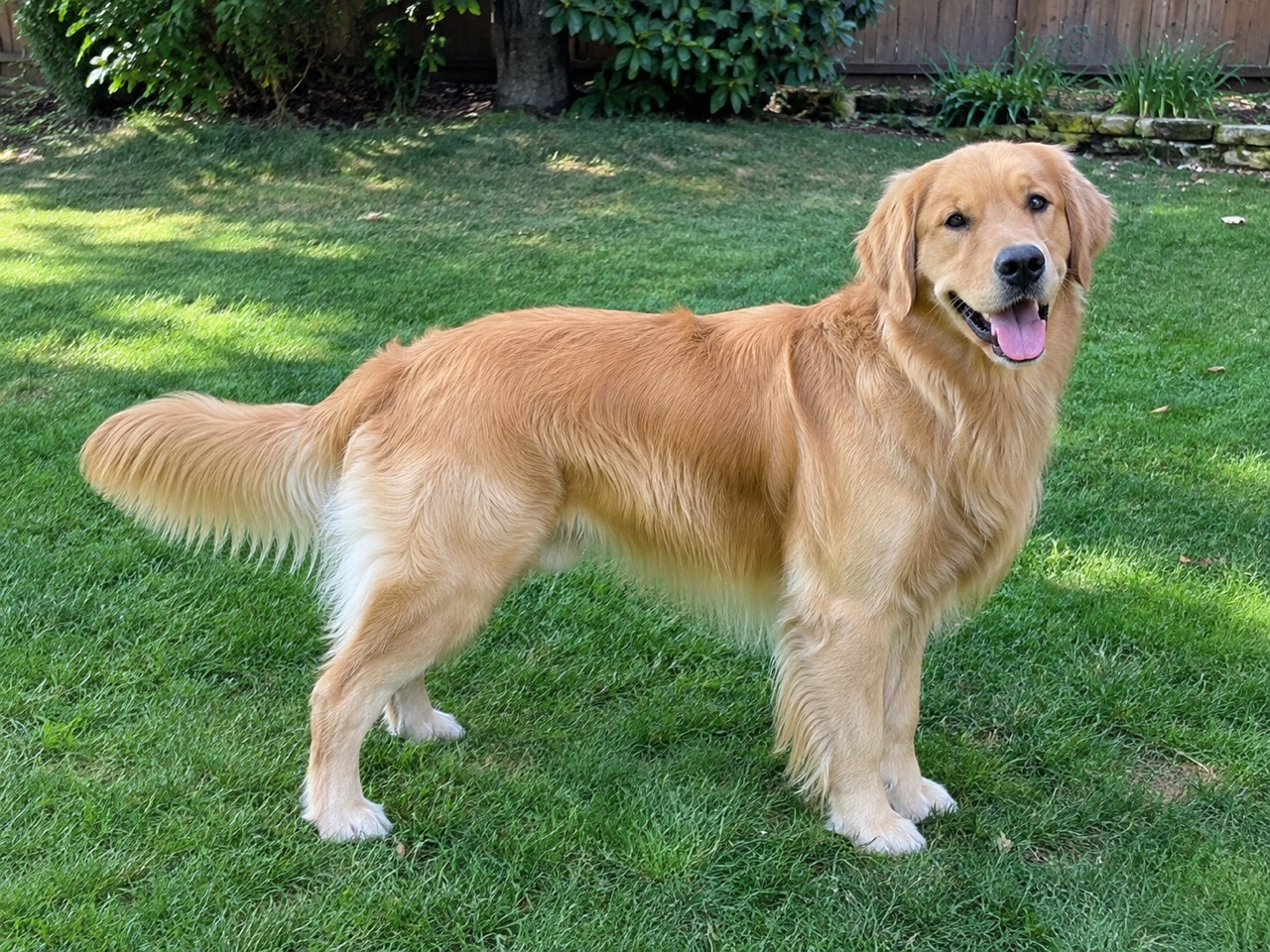
- Pets: the whole animal, in focus. A side view or a curled-up nap shot gives the AI too little to work with. A dog or cat standing or sitting and looking at you is best.
Make it on Raindance AI in four steps
- Add the photo in the box on the Thanksgiving Dance AI page.
- Pick the dancer: the person option is called You dance it; for an animal, pick the pet option. The room, the camera and the routine do not change.
- Leave Trend sound on to get the remix under the clip, or switch to No song for a silent file you can set to music inside TikTok or Reels.
- Press Make. Sign in with Google if asked, pay for one video if your account has no credits, and the render starts with your photo still in place. You can close the tab; the clip waits in My videos.
A render that fails gives its credits back on its own, and you can run it again.
The moves, count by count
Want to dance along in the comments, or do it for real next to the AI version? The routine follows the words of the chant, one move per word.
- Counts 1 to 8: right hand to left shoulder, left hand to right shoulder, then both arms swing down and open. Repeat it on each food word.
- The bend: one knee lifts, both hands go to your head, then both arms rise above it. This is the moment people screenshot.
- Back to the crosses, adding small steps in place.
- Point and fling: arms out to each side, one arm thrown straight at the ceiling, then both up high.
- Swing it out: arms sweep down to the left, then to the right, feet moving quickly.
- Freeze with both hands on your hips, right on the last beat.
If the video comes out wrong
- The face looks a bit off. Usually a small or blurry face in the photo. Try a sharper, closer one that still shows the whole body.
- New trousers or shoes. The photo stopped above the knees. Use a full-length shot.
- Your dog grew human hands. Rare, and a second render normally fixes it. A clear photo where the front paws are visible helps.
- Someone else in the room. The photo had two people in it. Crop to one and run it again.
- No sound when you post. Some apps mute recognised audio. Download the No song version and add the sound inside the app.
Make a set for the whole family
One photo is one video, so a family set is a handful of renders: you, your partner, a grandparent and the dog. The 5-video pack is $29, which covers four or five dancers with credits that never expire. Post them as a carousel or stitch them into one clip in CapCut, all in the same living room, which makes the set look planned.
When and how to post it
- Thanksgiving week is the window. Thanksgiving is Thursday, November 26, 2026. Clips posted Monday to Thursday morning catch people planning the day; the trend fades fast after the weekend.
- Captions that fit: "you name it" with a turkey emoji, or "me after one plate" for a pet video.
- Keep it vertical. The file is already 9:16, so it fills the screen on TikTok, Reels and Shorts.
- Switch on the AI-generated label. The platforms ask for it on realistic AI video.
Price and timing
| One video | 10 credits: $9.99 |
| Five videos | $29, credits never expire |
| Render time | Usually five to ten minutes |
| File | 13 seconds, 9:16, 720p MP4, no watermark |
| Sound | The remix, or no song |
| Failed render | Credits returned automatically |
Is the Thanksgiving dance AI free?
Not on this site. Each clip is a real AI render that costs money to make, so we do not offer a free version or a trial. Some other apps give new accounts a few starter credits or a short preview, usually watermarked or lower resolution. Here one finished video is $9.99.