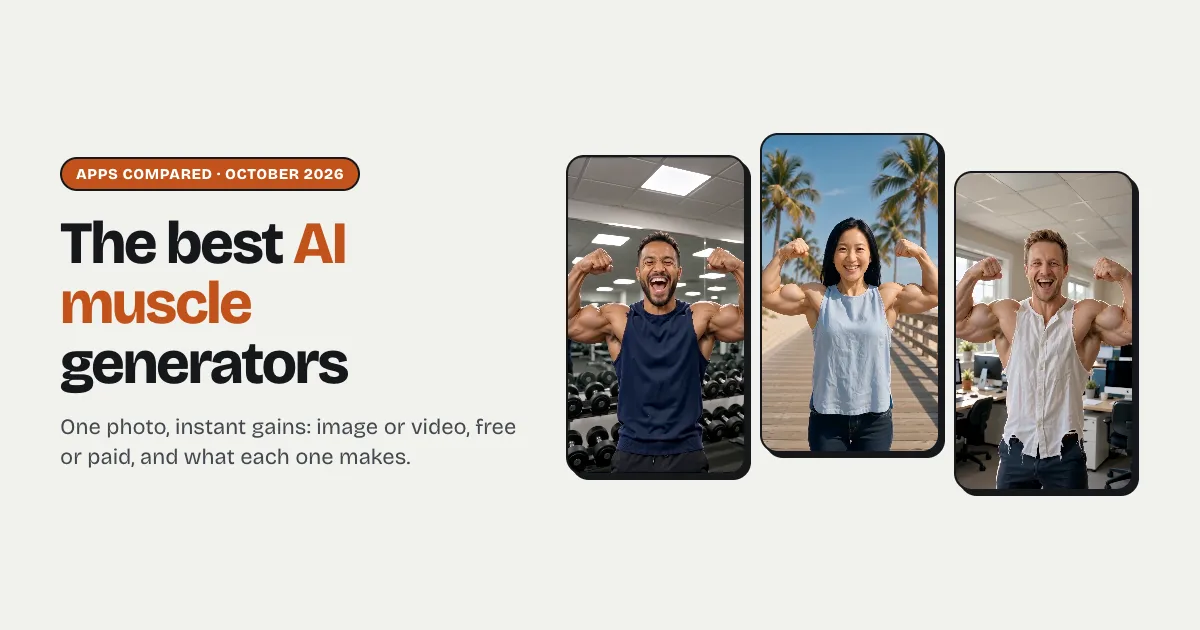


Short answer: an AI muscle generator turns one photo into a muscular version of the person, either as a still image (Fotor and many photo apps) or as a video of the muscles growing (Pollo AI, PixVerse, FlexClip, vo3ai, Overchat, YouCam, insMind and Raindance AI). For the viral video version, Pollo AI and PixVerse have the best-known effects, FlexClip lists a clear price (about $1.20 a video in credits), vo3ai makes an 8-second clip with sound, and Raindance AI (us) makes a 12-second, 9:16 clip with sound in three places (gym, beach or office) where you stay in your own clothes and only the sleeves rip, for $6.99 as a first video and $9.99 after.
Image or video?
Decide this first, because the tools split cleanly:
- An image shows the result: you, with a bodybuilder's arms and chest. Quick, often free, good for a profile joke.
- A video shows the transformation: the flex, the growth, the shirt giving up, the reaction. That's the version going round TikTok and Reels, and the one people share.
What should a muscle video do?
- Keep the face. The joke only works if everyone recognises the person.
- Show the change happen, not just cut to a different body.
- Keep it postable. Some muscle effects end shirtless; check the examples if you'll post it or make one of a friend.
- Come with sound, or be easy to put a trending sound on.
Comparison table
Everything below is what each tool's own pages said on 9 October 2026, except where marked "(search snippet)": Pollo AI's and PixVerse's pages block automated reading, so those facts come from search results. Prices and limits change often, so treat it as a snapshot. "Not stated" means the page didn't say.
| Tool | Output | Photos | Length / format | Sound | Free try | One result (USD) | Watermark | How it's made |
|---|---|---|---|---|---|---|---|---|
| Pollo AI | Video | 1 clear photo | Not stated | Not stated | Small free allowance (search snippet) | Subscription; no per-video price | Free videos watermarked (search snippet) | Muscle effect with adjustable intensity and style (search snippet) |
| PixVerse ("Muscle Surge") | Video | 1 photo | Not stated | Not stated | Free credits (search snippet) | Not stated | Not stated | Fixed effect template, no prompt (search snippet) |
| FlexClip | Video | 1 photo, half or full body | Keeps the photo's resolution; 5 to 10 min to make | Not stated | Not stated | About $1.20: 40 credits, with 300 credits for $9.90 | Not stated | Fixed muscle effect, animated to your build |
| vo3ai | Video | 1 photo | 8 s, for vertical and wide social formats | Yes: a whoosh and impact synced to the growth | Free to start after sign-in | 1 credit a video; dollar price not stated | No watermark, per its page | Fixed template, no prompt |
| Overchat | Video | 1 photo | 9:16, 1:1 or 16:9 | Not stated | Free tier with daily credits | Pro $14.99/month; per-video price not stated | Not stated | Body presets (lean, athletic, bulky, shredded) or a prompt |
| YouCam | Video and image | 1 photo | Not stated | Not stated | Not stated | Not stated | Not stated | 20+ video templates or a prompt |
| insMind | Video and image | 1 photo, full or upper body | Not stated | Not stated | Free credits | Not stated | Not stated | "Muscle Surge" effect, or image-to-video with a prompt |
| Fotor | Mainly image (a growth video option too) | 1 front-facing upper-body photo | Not stated | Not stated | Free credits for new users plus daily tasks | Not stated | Not stated | Presets for intensity and muscle group |
| Raindance AI (us) | Video | 1 photo, one adult | 12 s default (5 to 15 s); 9:16, 16:9 or 1:1; 720p | Yes: a workout beat, a whoosh and a fabric rip | No: new accounts start with 0 credits | $9.99, or $6.99 as a first order (30% off the first credit pack) | No watermark | Generates a new three-shot scene in the gym, on a beach or at the office; clothes stay on |
Two notes on the table. Effect tools (Pollo AI, PixVerse, FlexClip, vo3ai) are quick and built around one well-known effect, but most don't say how long the clip is or whether it has sound, so use the free try first. A tool that generates a new scene puts you somewhere (a gym, a beach, your office) and cuts it like a short clip.
Which muscle generator should you use?
Stop at the first yes.
- Do you just want a funny picture? Use an image tool such as Fotor; it's quicker and often free.
- Do you want the exact effect you saw on TikTok? Look for it by name on Pollo AI or PixVerse, which have the best-known muscle effects.
- Do you want to know the price before you sign up? FlexClip lists one: about $1.20 a video in credits.
- Do you want a clip that's ready to post, vertical, with sound, that keeps the person dressed? Raindance AI: 12 seconds in the gym, on a beach or at the office, sleeves ripping but the outfit staying on, no watermark, $6.99 for the first.
- Do you want to choose the body type? Overchat has lean, athletic, bulky and shredded presets.
Getting a good muscle transformation from any app
- Waist-up, facing the camera. The arms and shoulders are where the change shows.
- Wear sleeves. A T-shirt, shirt or sweater gives the "rip" something to rip.
- Even light, no sunglasses. The face is what makes it funny.
- Ask first. If it's a friend, get their OK before you post it; and only adults.
More on photos in the best photo for AI video.
What to check before paying anywhere
- Image or video. Many "muscle generators" make a still image only.
- Where the clothes end up. Look at the examples: some effects go shirtless, which matters if it's for a friend, for work or for a woman's photo.
- Price per result, not per credit. Most tools sell credits without saying how many one clip uses.
- Watermark on the paid tier. Free results are usually marked.