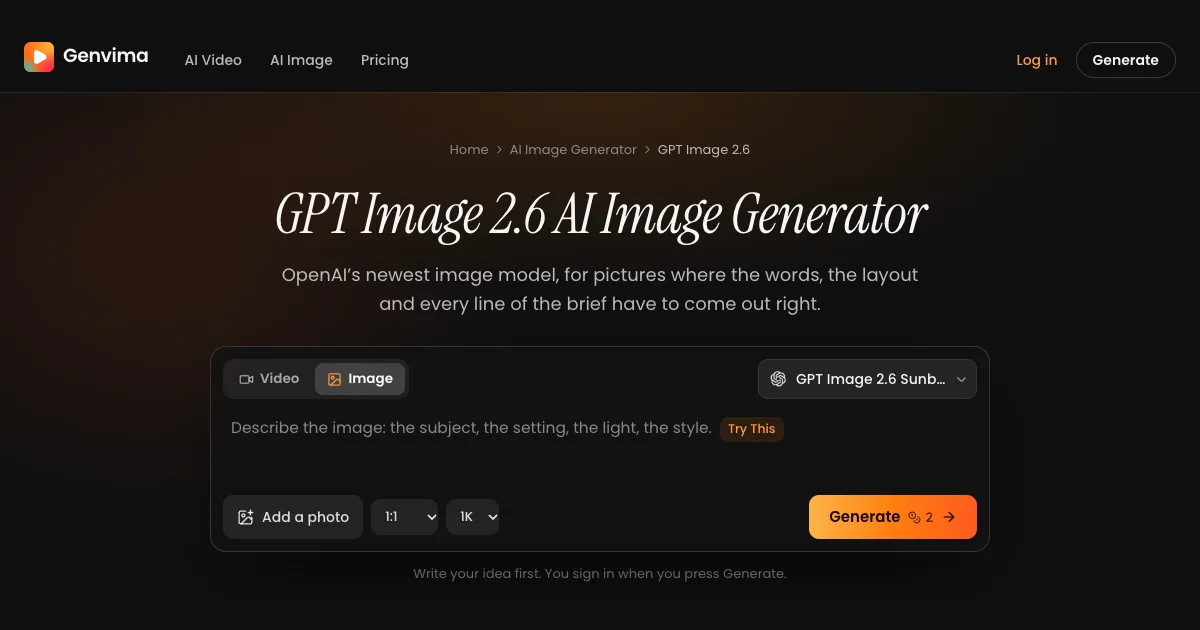
Short answer: if you want GPT Image 2.6 without an API key, without writing code and without a ChatGPT plan, use a site that puts both versions, Sunburst and Flare, in a browser studio and charges per image. Genvima does exactly that: sign in with Google, write the brief or add your photos (up to 16 reference images), pick 1K, 2K or 4K in one of 10 shapes, and the finished image, free of any watermark, typically lands within a minute. Each image is 2 credits at 1K, 6 at 2K and 8 at 4K, the same for Sunburst and Flare, and credit packs on its pricing page start at $19.90 for 350 credits. ChatGPT and the OpenAI API are OpenAI's own ways in; creative studios such as Higgsfield, OpenArt and Krea and developer platforms such as fal.ai, Replicate and OpenRouter carry the model too. Few of them say whether your downloads are watermark-free.
What's new on this page
- 14 November 2026: first version. Every site's own page was read on this date.
What GPT Image 2.6 is
OpenAI shipped GPT Image 2.6 on 4 November 2026 across ChatGPT, Codex and the developer API. It comes as a pair: Sunburst, which OpenAI positions for detail-heavy images and careful edits, and Flare, a lighter model tuned for quick iteration. OpenAI says the 2.6 generation makes images about 50% faster than the one before. Its strengths are the ones people use it for: correct lettering on posters, menus and labels, and long briefs followed point by point. The release also added a few things that only some sites expose: animated GIFs, SVG output, a complexity setting that controls how much the model plans first, and edits steered by circles or arrows you draw over the picture.
Three ways to reach it
ChatGPT is the chat route: you ask for an image in a conversation, and the app picks the settings. APIs (OpenAI's own, fal.ai, Replicate, OpenRouter) are for developers who call the model from code, with full control of sizes, formats and the newer features. Studios (Genvima, Higgsfield, OpenArt, Krea) give you a form with the model, size and shape as menus, a library of your results and other image models next to it. Genvima's studio works without any plan: a credit pack is enough.
The sites side by side
What each site's own page said on 14 November 2026. "Not stated" means the page didn't say.
| Tool | Kind | Sunburst and Flare | In a browser, no code | Reference images | Download without a watermark |
|---|---|---|---|---|---|
| Genvima | Multi-model studio | Both, same price | Yes | Up to 16 | Yes, always |
| ChatGPT | OpenAI's chat app | Picked for you | Yes, inside a chat | Not stated | Not stated |
| OpenAI API | OpenAI's API | Both | No: code | Not stated | Not stated |
| Higgsfield | Multi-model studio | Both | Yes | Up to 16 | Not stated |
| OpenArt | Multi-model studio | Both | Yes | Up to 16 | Listed as a paid-plan feature |
| Krea | Multi-model studio | Both | Yes | Not stated | Not stated |
| fal.ai | Developer API | Both | Mainly API | Up to 10 | Not stated |
| Replicate | Developer API | Both, as two pages | Yes, a web playground | Not stated | Not stated |
| OpenRouter | Developer API | Both | No: API key | Up to 16 | Not stated |
Each one in a sentence or two
- Genvima: both versions in one studio with text to image and edits from your photos, 1K to 4K, 10 shapes, 16 references, no watermark, and other image models such as Seedream 5.5 in the same menu. Make an image here. Not for: SVG files, animated GIFs or circle-and-arrow edits; it makes still images from text and photos.
- ChatGPT: OpenAI's own app, where you ask for an image in plain words and can also make GIFs and reuse saved references. Not for: choosing Sunburst or Flare, or an exact size, yourself.
- OpenAI API: every feature of the release, including SVG, GIF, complexity and marked edits. Not for: anyone who doesn't write code.
- Higgsfield: a creative studio with both versions, area edits and SVG and GIF output. Not for: relying on SVG files yet; its page still marks SVG output as a preview.
- OpenArt: a studio with both versions, custom sizes, circled-area edits and its saved characters. Not for: knowing the download rules on the entry tier; watermark-free downloads are listed with the paid plans.
- Krea: a studio that lists both versions in its image tool. Not for: editing a photo you already have, which its pages don't describe for this model.
- fal.ai: a developer platform with text-to-image and edit endpoints for both versions, plus GIF output. Not for: a no-code workflow.
- Replicate: a model host with a web playground and an API, including SVG and GIF output. Not for: a library of your past images and other models in one studio.
- OpenRouter: one API key for many models, GPT Image 2.6 included. Not for: people who don't code.
Is there a free GPT Image 2.6?
Yes, with limits. Some apps give a handful of trial credits or a daily allowance, but free images tend to be capped in number or size, may carry a watermark, and often need a paid plan for commercial use. Genvima's free Basic engine gives every account three images a day after a Google sign-in, with no credit card; it is a simpler model, not GPT Image 2.6, and its images carry a small watermark until your first purchase. GPT Image 2.6 itself is paid, because every image is a real call to OpenAI's model: a 1K image is 2 credits, credit packs start at $19.90 for 350 credits, downloads have no watermark, and an image that fails or is refused gives its credits back automatically.
Sunburst or Flare?
Draft on Flare, finish on Sunburst. Flare answers faster, which makes it the one for trying ten headline treatments or a grid of sticker ideas. Sunburst holds more fine detail and changes less of your original photo during an edit, so the version you publish or print should come from it. On Genvima both cost the same, so the only reason to pick Flare is speed.
What GPT Image 2.6 still gets wrong
- It redraws the whole picture on an edit. Ask for one change and small things elsewhere (a sign, a pattern, a pose in the background) can shift too. For a retouch that must leave everything else alone, an editing model that keeps untouched pixels is the safer tool.
- Small print can still have typos. Big headlines are reliable; captions, fine print and long paragraphs need a proofread before anything goes to print.
- Famous people and brands get refused. Prompts built around a real public figure or a copyrighted character are often declined.
How to choose in ten seconds
- A poster, menu, label or slide today, in the browser, without a plan? Genvima.
- Drafts fast, the final in high detail? Genvima: Flare and Sunburst sit in the same menu at the same price.
- An animated GIF or an SVG file? ChatGPT for GIFs, or the OpenAI API for both.
- Building it into your own product? The OpenAI API, or a developer platform such as fal.ai.
- A trend video with your own face instead of an image? Raindance AI makes the AI video effects people are posting this month.
Tips for a better GPT Image 2.6 result on any site
- Quote every word that must appear. Text inside quotation marks is copied letter for letter far more often than text described loosely.
- Lay the page out in reading order. Start at the top and work down, or left to right, the way a designer would brief it.
- Fewer words in the image, more in the caption. Each extra line is one more chance of a typo.
- Name the style precisely. "Bold outlines, two flat colors, no gradients" says far more than "modern".
- Find the design small, then go big. Settle the layout at 1K and render the final at 2K or 4K.
Before you publish
Proofread every word, and check the rights to any logo, product or person you add as a reference. Label images as AI-generated where the platform you post on asks for it. Read each site's terms on commercial use before an image goes into an ad.