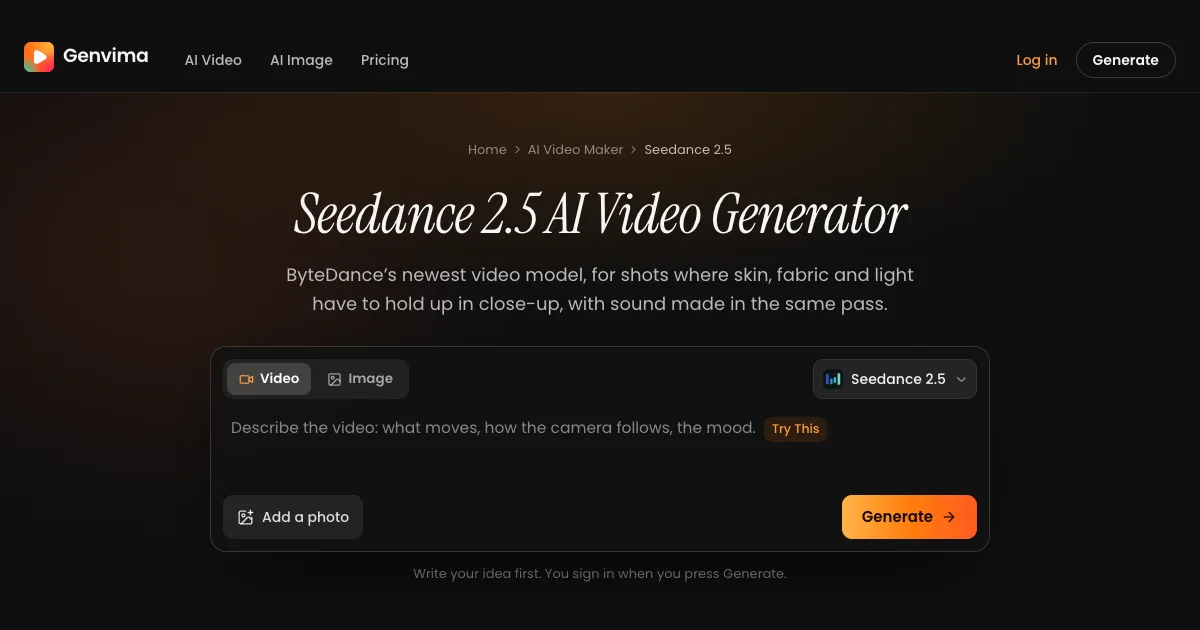
Short answer: if you want Seedance 2.5 without writing code, without a Chinese account and without signing up for a monthly plan, pick a site that runs it in the browser and lets you pay per clip. Genvima does exactly that: sign in with Google, type the shot or start from a photo (or use up to 9 reference images, or a first and a last frame), and you get a 5, 10 or 15 second MP4 at 480p, 720p or 1080p, with the soundtrack made in the same pass and no watermark, usually within a few minutes. A clip starts at 97 credits, and credit packs on its pricing page start at $19.90 for 350 credits, with no subscription. ByteDance's own apps (Dreamina and CapCut worldwide, Jimeng and Doubao in China), its BytePlus ModelArk API, developer platforms such as fal.ai and Replicate, and creative studios such as Krea, Higgsfield and OpenArt carry the model too. Most of them ask for a paid plan or an API key before the first clip, and most of their pages don't say whether downloads are watermark-free.
What's new on this page
- 14 November 2026: first version. Every site's own page was read on this date. BytePlus says a faster Seedance 2.5 Flash opens on 15 November 2026; it will be added here once the sites below carry it.
What Seedance 2.5 is
Seedance 2.5 is ByteDance's newest video model. Its Seed team first showed it at the Volcano Engine conference on 23 June 2026 and launched it on 31 July 2026. It generates the picture and the audio together, keeps the same characters from shot to shot inside one clip, and renders skin, fabric and light with more detail than Seedance 2.0. ByteDance's launch post also describes longer single generations, extension into longer videos, and large sets of image, video and audio references in one request. How much of that you actually get depends on the site you use it on, because each platform picks its own lengths, sizes and modes. That is what this page compares.
Three ways to reach it
ByteDance's own apps (Dreamina and CapCut outside China, Jimeng and Doubao inside it) give you the model in a full creative app, usually as a seconds allowance that comes with a paid plan. APIs (BytePlus ModelArk, fal.ai, Replicate) are built for developers: you need an account, an API key and some code, or their test playground. Multi-model studios (Genvima, Krea, Higgsfield, OpenArt) put Seedance 2.5 in a web app next to other video models. On Genvima you can also buy a one-off credit pack instead of a plan, so a single clip doesn't commit you to a month.
The sites side by side
What each site's own page said on 14 November 2026. "Not stated" means the page didn't say.
| Tool | Kind | In a browser, no code | What you need first | Download without a watermark | Failed clip refunded |
|---|---|---|---|---|---|
| Genvima | Multi-model studio | Yes | A Google sign-in, then a plan or a pack | Yes, always | Yes, automatically |
| Dreamina / CapCut | ByteDance's own app | Yes | A CapCut login and a paid plan for 2.5 | Paid plans only | Not stated |
| Jimeng / Doubao | ByteDance's apps for China | Yes, in Chinese | An account on the Chinese app | Not stated | Not stated |
| BytePlus ModelArk | ByteDance's API | No: code or console | An API key, a funded account and a 2.5 resource pack | Yes, off by default | Not stated |
| fal.ai | Developer API | In its playground | An account, and an API key for code | Not stated | Not stated |
| Replicate | Developer API | Mainly API | An account | Not stated | Not stated |
| Krea | Multi-model studio | Yes | Its Pro plan or higher | Not stated | Yes, failed jobs aren't billed |
| Higgsfield | Multi-model studio | Yes | An account and a plan | Not stated | Not stated |
| OpenArt | Multi-model studio | Yes | An account and a plan | Not stated | Not stated |
Each one in a sentence or two
- Genvima: one page with text, photo, reference and first-and-last-frame modes, 480p to 1080p, sound on, no watermark, and Seedance 2.0, 2.0 Fast and 2.0 Mini in the same menu when you want to try a prompt for fewer credits before the final render. Make a clip here. Not for: one continuous take longer than 15 seconds, or editing footage you already shot.
- Dreamina / CapCut: ByteDance's creative app outside China, with extension, editing and a beta long-video mode. Not for: trying one clip without a subscription, since 2.5 time comes with the paid tiers.
- Jimeng / Doubao: the apps ByteDance launched 2.5 in, both in Chinese. Not for: anyone without an account on those apps.
- BytePlus ModelArk: the official API, with every mode ByteDance offers: drafts, editing, extension, MP4 or MOV output. Not for: people who don't want to write code or prepay a resource pack.
- fal.ai: a developer platform with a browser playground and the full set of image, video and audio references. Not for: a no-code workflow.
- Replicate: an API host that also covers editing and extension. Not for: people who don't code.
- Krea: a creative studio with start and end frames, region editing and a draft mode. Not for: its Free and Basic plans, which don't include 2.5.
- Higgsfield: a studio with a long list of motion tools built around Seedance. Not for: a quick, single-purpose tool; there are many modes and plans to choose between.
- OpenArt: a studio with a 480p draft that you can upgrade to a final render. Not for: knowing the download rules before you start; its page doesn't mention watermarks.
Is there a free Seedance 2.5?
Yes, with limits. Some sites hand out a few trial credits or run short promotions, but free clips are usually watermarked, short or low resolution, and offers that promise unlimited free Seedance 2.5 tend to be time-limited trials or a different model sold under the name. Genvima's free Basic engine gives every account one 5 second 720p clip with sound a day after a Google sign-in, with no credit card; it is a simpler model, not Seedance 2.5, and the clip downloads after your first purchase. Seedance 2.5 itself is paid, because every clip is a real render on ByteDance's model: a 5 second 480p clip is 97 credits, credit packs start at $19.90 for 350 credits, downloads carry no watermark, and a clip that fails gives its credits back on its own.
Does Seedance 2.5 do 4K?
Not natively, going by ByteDance's own documentation. Its API docs list three output sizes for Seedance 2.5: 480p, 720p and 1080p, the last one in 10-bit color. A few sites advertise 4K for it; before paying extra, check whether that is an upscale of a 1080p render. Genvima offers the three native sizes, with 1080p as the sharpest.
Why your photo of a real person gets refused
ByteDance's documentation for Seedance 2.5 says reference images and videos showing real human faces are not accepted, and people on several platforms report the same check catching faces that were generated by AI. The rule comes with the model, so switching sites rarely gets around it. What works instead: references of products, rooms, outfits, animals or drawn characters, or a written description of the person rather than a photo. On Genvima a refused clip costs nothing: its credits are refunded on their own.
How to choose in ten seconds
- One clip today, in the browser, without a plan or code? Genvima.
- Rough drafts first, the final shot on 2.5? Genvima: Seedance 2.0 Mini and 2.5 read the same prompt from the same box.
- Seedance 2.5 inside your own app or pipeline? BytePlus ModelArk, or a developer API such as fal.ai.
- You already pay for CapCut and want ByteDance's own editor? Dreamina.
- A viral trend with your own face instead of a model test? Raindance AI makes the AI video effects people are posting this month.
Tips for a better Seedance 2.5 clip on any site
- Order the prompt like a shot list. Who, doing what, where; then the camera move; then the light; then what we hear.
- Spend words on texture. The jump from 2.0 shows in knitwear, wet pavement, hair and skin, so name those surfaces and the direction of the light.
- Split a sequence into numbered shots. "Shot 1: … Shot 2: …" on separate lines keeps the cuts clean and the cast consistent.
- Find the idea at 480p. Move up to 720p or 1080p only once the motion and the framing are right.
- Only block what appears. Add "no subtitles" or "no background music" if a render shows them, not before.
Before you pay: consent and rights
Only put people in a video who agreed to it, and label the post as AI-generated when you share it. Prompts built around famous people or copyrighted characters are often declined, and ByteDance's own face rule applies on every site. Read each site's terms on commercial use before you put a clip in an ad.