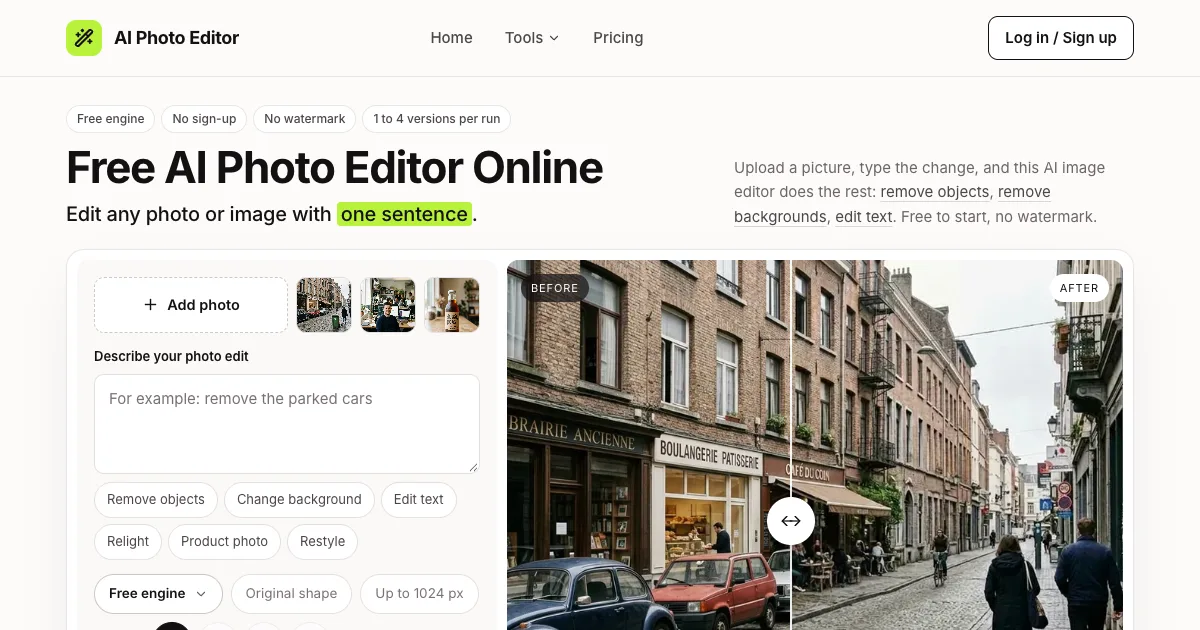
The best AI photo editor lets you upload any picture, type what should change in plain English and download the result at full size without a watermark. Free AI Photo Editor does exactly that: one sentence removes objects, swaps the background, relights a scene or rewrites the words on a sign or label in the same lettering. Its free engine runs 3 edits a day with no account at up to 1024 px; a Google sign-in adds enough credits for one edit on the main engine, and six paid engines (Nano Banana 2.1, GPT Image 2.6, GPT Image 2.5, Seedream 5, FLUX 3 Klein and FLUX Kontext Pro) return one to four versions of each edit at sizes up to 4K, and none of its plans stamps a watermark on the download. A pack of 800 credits, about 80 edits, is $9.99 and never expires. Design apps such as Picsart, Fotor, Pixlr and CapCut, product-photo tools such as Photoroom and Pokecut, and AI studios such as Adobe Firefly, Media.io, Phot.AI and Magic Hour edit photos with AI too; few of them say whether your downloads carry a watermark or whether they can rewrite text inside a picture.
What's new on this page
- 22 November 2026: first version. Every tool's own pages were read on this date. Canva is left out: its pages could not be checked word for word that day.
Three kinds of AI photo editor
Design apps (Picsart, Fotor, Pixlr, CapCut) are full editors with layers, templates and filters, and the AI tools sit in a menu beside them. Product-photo tools (Photoroom, Pokecut) are built around cutting out an item and putting it on a clean or styled background for a shop. Prompt-first editors (Free AI Photo Editor, Adobe Firefly, Media.io, Phot.AI, Magic Hour) put a text box at the centre: you describe the change and the model makes it. If you mostly want to say what should change and get a finished picture back, the third kind is the quickest.
The tools side by side
What each tool's own pages said on 22 November 2026. "Not stated" means the pages didn't say. "Pages disagree" means two of the tool's own pages said different things.
| Tool | Kind | Edit the whole photo by typing | Rewrite text in the same lettering | Choose the AI model | HEIC upload | Watermark-free downloads |
|---|---|---|---|---|---|---|
| Free AI Photo Editor | Prompt-first editor | Yes | Yes, its own tool | Yes, six engines | Yes | Yes, every plan |
| Picsart | Design app | Yes | No: removes text only | Not stated | Not stated | Not stated |
| Fotor | Design app | Inside a marked area | Yes | Not stated | Some pages | Some pages |
| Pixlr | Design app | Yes | No | Speed tiers | One page | Yes |
| CapCut | Design app | Yes | No: removes text only | Not stated | Not stated | Tool pages say yes |
| Photoroom | Product-photo tool | Yes, product photos | Not stated | Its own versions | No on the web | Not stated |
| Pokecut | Product-photo tool | Yes | No | One named model | Not stated | Pages disagree |
| Adobe Firefly | Prompt-first editor | Yes | Yes | Yes, from a menu | Not stated | Not stated |
| Media.io | Prompt-first editor | Yes | Yes | Not stated | Not stated | Pages disagree |
| Phot.AI | Prompt-first editor | Yes | No: removes text only | Not stated | Not stated | Not stated |
| Magic Hour | Prompt-first editor | Yes | Through one model | Yes | Yes | Yes |
Each one in a sentence or two
- Free AI Photo Editor: a single text box for any edit, with one-click pages for removing objects, cutting out backgrounds and editing text in an image, six engines to switch between and up to 4K downloads. Open the editor. Not for: layered design work such as posters with many text boxes; it edits pictures, it is not a layout tool.
- Picsart: a large design app whose AI editor takes a written request and names many image models. Not for: changing the words on a sign or label; its text tool erases them.
- Fotor: a design app with a text tool that rewrites words in the original font, and AI edits that start from a marked area. Not for: one sentence that changes the whole picture at once.
- Pixlr: a browser editor with an instruction box and Fast, Pro and Ultra speeds. Not for: replacing text inside the photo; its text tool adds a new layer.
- CapCut: a video app's online photo editor that takes a prompt. Not for: rewriting text in an image; its tool removes it.
- Photoroom: a product-photo tool that edits from a typed description. Not for: HEIC files from an iPhone in the web app, which its help pages say it does not accept.
- Pokecut: a product-photo tool with an eraser, background tools and a Nano Banana editor. Not for: replacing words in a picture; its text tool only sharpens them.
- Adobe Firefly: Adobe's image app, with a model menu and a text edit that keeps the original font. Not for: quick edits without an Adobe account; its page asks you to sign in first.
- Media.io: an online media suite with prompt editing and a same-font text tool. Not for: a clear answer on watermarks; its pricing and tool pages say different things.
- Phot.AI: an AI studio whose editor takes typed instructions. Not for: rewriting text; its text page is about erasing it.
- Magic Hour: a video-first AI studio with a typed photo editor and several models to pick. Not for: a dedicated text-in-image tool; text rewriting is a note on one model's page.
Is there a free AI photo editor?
Yes, with limits. Many editors let you try a few AI edits, but trial results are often small, watermarked or limited to a handful a day, and full-size, watermark-free downloads usually need a paid plan. Free AI Photo Editor's free engine runs 3 edits a day without an account at up to 1024 px, with no watermark; for 4K downloads and the six paid engines, 800 credits (about 80 edits) are $9.99 and never expire, and credits spent on an edit that fails are returned.
How to choose in ten seconds
- You want to type the change and download a clean picture? Free AI Photo Editor.
- You need the words on a label, menu or sign changed in the same lettering? Free AI Photo Editor's edit text tool.
- You want to try the same edit on several AI models? Free AI Photo Editor lets you switch engines on the same photo.
- You are building a poster or a social post with many layers? A design app such as Picsart or Pixlr.
- You already pay for Adobe? Adobe Firefly sits inside the plan you have.
Getting a good edit from any of them
- Say what to keep as well as what to change. "Remove the parked cars, keep the people and the shop signs" gets a cleaner result than "remove the cars".
- One change per run. Ask for the new background first, then the lighting, rather than both in one sentence.
- Start from the biggest file you have. Editors work from what you upload; a screenshot of a photo loses detail you cannot get back.
- For text, write the exact words in quotes and say where they go: "Change the label on the jar to 'MORNING BLEND'".
- Run it more than once. AI edits vary; two or four versions of the same request make it easier to pick a good one.
Before you upload a photo
Edit only pictures you own or have permission to use, and do not use AI edits to mislead people about real events or to change someone's appearance without their agreement. Check each tool's privacy page for how long it keeps your uploads before you send a personal photo.