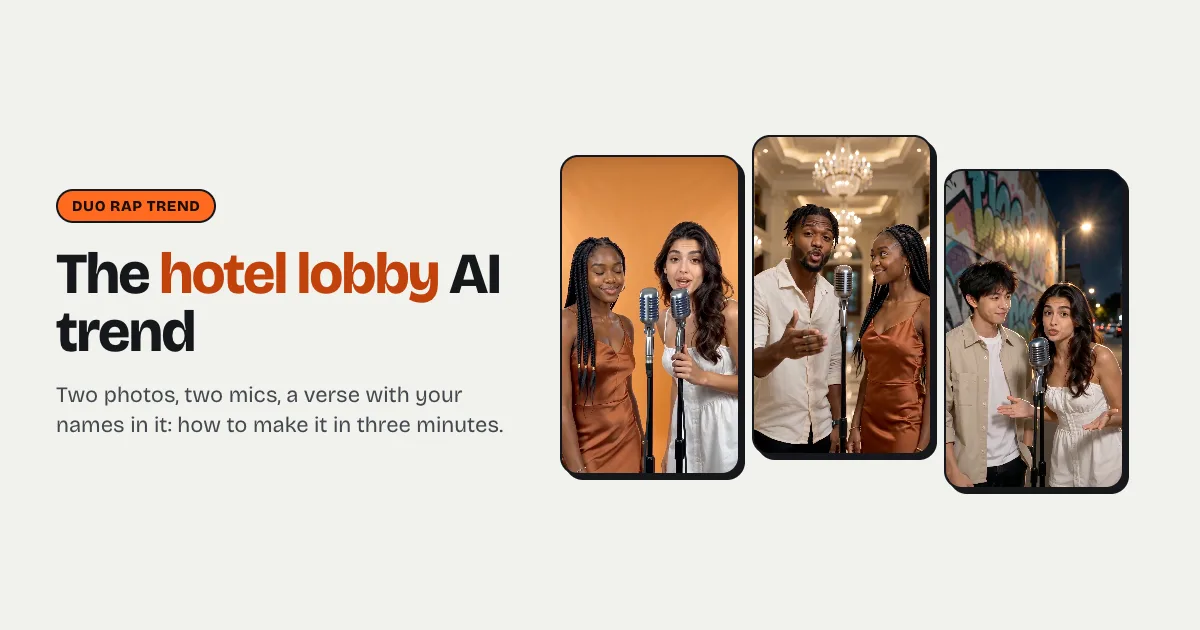


Short answer: to do the hotel lobby AI trend, upload a photo of you and one of a friend to a generator that has the template, such as the hotel lobby AI page on raindance-ai.org. Type who the song is for (first names and the occasion: a birthday, an anniversary, best friends, your business) and pick a stage (the bright orange backdrop, a chandelier lobby, a neon studio or a graffiti street), then press Make. In two to five minutes you get a 12-second, 9:16 clip of the two of you, each at your own mic, rapping an original verse with your names in it, on a trap beat. The first video costs $6.99, then $9.99.
What is the hotel lobby AI trend?
It's the duo rap clip that spread across TikTok and Reels in September 2026. Two people stand at two vintage microphones in front of a bright orange backdrop and trade a short verse: one raps, the other answers, and both react to each other's lines. It recreates Quavo and Takeoff's "Hotel Lobby" performance from A COLORS SHOW (2022), which is why people also call it the Migos AI trend; the trend version is about you and whoever you tag.
What makes it work is the back-and-forth. The verse is a friendly roast: who is always late, who can't dance, who still has emails on a Friday. Two lines each is enough for the punchline to land in twelve seconds.
What you need
- Two photos, one person each. A selfie of you and one of your friend, faces to the camera, in good light. One photo with both of you in it works too.
- Names and the occasion. First names and one detail (whose birthday, how long you have been friends). If you skip it, you get a general hype song.
- About three minutes. The clip renders while you wait, or you can leave the page.
Step by step
Step 1: Upload the photos
Open the hotel lobby AI page. Photo 1 is the rapper on the left, who goes first; photo 2 is on the right and answers. Swap the photos if you want the other person to lead. Faces matter more than anything else: a clear, front-facing photo keeps each face the same through the whole clip. More on photos in the best photo for an AI video.
Step 2: Say who the song is for
Tap Birthday, Anniversary, Best friends or My business, or type it yourself, with first names and a detail: "Maya and Zoe, best friends since school, Maya is always late". The verse is written around it: two short lines each, with rhymes and a punchline, names included. Celebrity and public-figure names are never used, and there is no swearing or anything sexual.
Step 3: Choose the stage
Hotel lobby (orange) is the original look: a bright, solid orange backdrop and nothing else. Luxury lobby puts you under crystal chandeliers on a marble floor. Studio booth is a recording studio lit by pink and blue neon. Street cypher is a city street at night in front of a graffiti wall. All four use two mics on stands and the same still, waist-up shot.
Step 4: Make it
Press Make my video and sign in with Google or an email. A 12-second clip is 10 credits: $9.99, or $6.99 on your first order because the first credit pack is 30% off. Rendering takes two to five minutes, and the clip is saved under My videos. If a render fails, the credits come back automatically.
Step 5: Post it
Download the MP4 (no watermark). It already has both voices on an original trap beat, so you can post it as it is. Switch on the AI-generated label on TikTok or Reels.
Tips that make it land
- Give it names and a rivalry. "Best friends" is fine; "Maya and Zoe, Maya is always late" is funnier. The verse is better with names and something to argue about.
- Match the photos. Two selfies taken in similar light look like they belong in the same lobby.
- Lead with the funnier person. Photo 1 sets up, photo 2 lands the punchline.
- Use the orange stage first. It is the look people recognise from the original; the other three are for when you make a second one.
- Make the pet version. Switch to Pets and your cat and dog trade bars about treats and naps; it's the version people share most.
Can I do it for free?
Not on raindance-ai.org: every video is a real AI render, new accounts start with 0 credits, and the cheapest video is $6.99. CapCut has templates that edit footage you already have, but they can't make the two of you rap a new verse with your names in it on a stage you were never on.